MikroTik RouterOS License Levels Explained: Level 3 vs 4 vs 5 vs 6
Buy the wrong MikroTik RouterOS license level, and you’ll find out – a 201st PPPoE customer who cannot connect, or a wireless mode that isn’t available. This guide breaks down exactly what Level 3, 4, 5, and 6 unlock. What stays identical across all of them. How to pick the right one before you buy hardware or a standalone license key.
Table of Contents
- Why License Level Matters Before You Buy
- The Full License Ladder: 0 Through 6
- Level 3: Wireless Station/CPE Only
- Level 4: The Standard WISP/Router Tier
- Level 5: Higher-Capacity WISP Tier
- Level 6: Controller — No Limits
- Side-by-Side Feature Comparison
- What Never Changes Across L3–L6
- RouterOS Upgrade Paths by License Level
- Checking Your Current License Level
- Upgrading a License
- CHR Licensing Is a Separate System
- Which Level Do You Actually Need?
- Common Licensing Mistakes
- Quick-Reference Cheat Sheet
- Conclusion
Why License Level Matters Before You Buy
- License level caps real, operational limits — the number of PPPoE tunnels, HotSpot users, and VPN sessions a device can actually run, not just a feature toggle you might never notice.
- Physical MikroTik hardware ships with a fixed license level already applied — you cannot casually downgrade it, and upgrading after the fact means purchasing a new key, not just flipping a setting.
- Buying hardware for a role it is not licensed for is a common, avoidable mistake — a device licensed for a small deployment will hit its session caps quickly in an ISP-scale rollout, regardless of how capable the underlying hardware is.
The Full License Ladder: 0 Through 6
- Level 0 (Trial): The state every fresh install starts in — a 24-hour unlicensed trial window with no restrictions during that period, used to evaluate the system before committing to a license.
- Level 1 (Free Demo): Free, but requires registration and carries meaningful restrictions — a single OVPN tunnel, a single PPPoE/PPTP/L2TP tunnel, and no wireless AP mode. Suitable for practice and testing only.
- Level 2 (Legacy): A transitional license format from before RouterOS 2.8. No longer sold — existing Level 2 licenses keep working, but upgrading one means buying a current-format license instead.
- Levels 3, 4, 5, and 6: The purchasable, production-relevant tiers this guide focuses on.
L3: Wireless Station/CPE Only
- Built specifically for wireless client (station) mode — a Level 3 device connects to an upstream access point, it does not run as one itself in legacy wireless mode.
- No wireless AP mode with the legacy wireless package — this is the defining restriction. A Level 3 device works well as CPE, not as the AP a network of clients connects to.
- Not sold as a standalone, individual license — Level 3 comes preinstalled on qualifying CPE hardware in volume, rather than something you purchase separately for an x86 or CHR build.
- BGP availability depends on the device type — included at Level 3 specifically on RouterBOARD hardware; other device types need Level 4 or above for BGP.
- Typical fit: a customer-premises antenna or CPE unit at the edge of a WISP network, receiving service rather than distributing it.
L4: The Standard WISP/Router Tier
- The first tier with full wireless AP mode — a Level 4 device can act as the access point other stations connect to, not just a client.
- Session and tunnel limits are real but moderate — historically around 200 each for PPPoE, PPTP, L2TP, and OVPN tunnels, with a similar ceiling on HotSpot active users and a smaller cap on User Manager active sessions. Confirm current figures on MikroTik’s license page, since these numbers have shifted across RouterOS releases.
- Unlimited EoIP tunnels, VLAN interfaces, and queues even at this entry-paid tier — the restrictions concentrate specifically on subscriber-facing session counts, not general configuration capability.
- Typical fit: a small-to-mid-sized router or AP handling routing, basic wireless distribution, and a manageable subscriber count — most small office and branch deployments never approach Level 4’s session ceilings.
L5: Higher-Capacity WISP Tier
- Roughly doubles the session and tunnel ceilings from Level 4 — historically around 500 for PPPoE, PPTP, L2TP tunnels and HotSpot active users, with OVPN tunnels typically unlimited at this tier.
- User Manager active sessions increase as well, supporting a larger centrally-managed subscriber base than Level 4 comfortably handles.
- Typical fit: a growing WISP or regional ISP concentrator serving a meaningful subscriber base, past the point where Level 4’s tunnel caps would realistically be hit.
L6: Controller – No Limits
- Every session and tunnel limit is removed — unlimited PPPoE, PPTP, L2TP, and OVPN tunnels, unlimited HotSpot active users, unlimited User Manager sessions.
- This is the tier most large ISP and enterprise deployments actually need — anywhere subscriber count or VPN session volume could plausibly grow past a fixed ceiling, Level 6 removes the ceiling as a future concern entirely.
- Typical fit: core routers, large-scale PPPoE concentrators, and central controllers coordinating a sizable subscriber base or VPN user population.
Side-by-Side Feature Comparison
| Feature | Level 3 | Level 4 | Level 5 | Level 6 |
|---|---|---|---|---|
| Wireless AP mode | No (station only) | Yes | Yes | Yes |
| PPPoE / PPTP / L2TP tunnels | N/A | ~200 | ~500 | Unlimited |
| OVPN tunnels | N/A | ~200 | Unlimited | Unlimited |
| HotSpot active users | N/A | ~200 | ~500 | Unlimited |
| User Manager active sessions | N/A | ~20 | ~50 | Unlimited |
| EoIP tunnels, VLANs, queues | Unlimited | Unlimited | Unlimited | Unlimited |
| Individually purchasable (x86/CHR) | No | Yes | Yes | Yes |
Treat the specific numeric caps as directional rather than exact — MikroTik has adjusted these figures across RouterOS releases, and the current authoritative numbers always live on MikroTik’s own license documentation page.
What Never Changes Across L3–L6
- Core RouterOS features are identical. Routing, firewall, NAT, VPN protocols, and VLAN support are not gated behind higher tiers — every purchasable license runs the same underlying feature set, gated only by capacity limits.
- Licenses never expire on their own — a purchased Level 4, 5, or 6 license remains valid indefinitely, with no recurring renewal required to keep the device functioning at that level.
- Every license supports unlimited network interfaces, regardless of tier — interface count is not one of the dimensions license level restricts.
- Each license is for one installation — a purchased key binds to a specific device or Software ID, not a floating license usable across multiple routers.
RouterOS Upgrade Paths by License Level
- Not every license level upgrades RouterOS versions the same way. Lower tiers have historically carried more restrictive upgrade paths — limited to the current major version and its updates, rather than an open path to every future release.
- Higher tiers generally carry a more open upgrade path to newer major RouterOS versions, which matters if you plan to run a device for years and expect to track new releases.
- Confirm the specific version-upgrade terms for the license level you are buying at purchase time — this detail changes between RouterOS generations, and assuming it matches an older reference is a common mistake.
Checking Your Current License Level
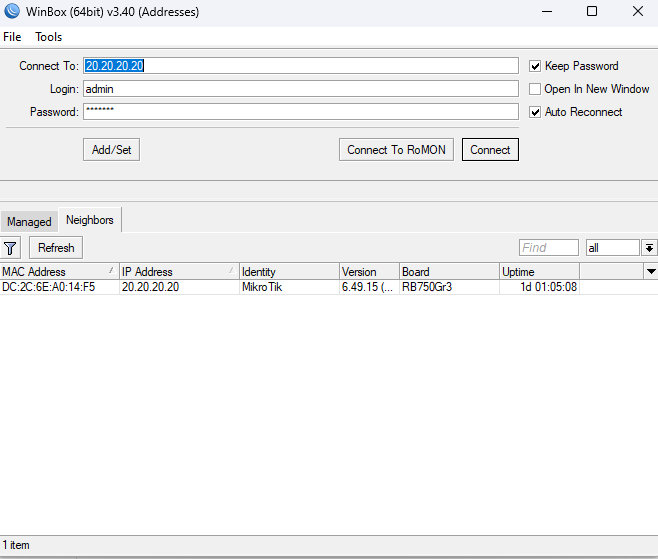
/system license printThis returns the Software ID, the numeric license level (nlevel), and any additional license features applied — the definitive source of truth for what a specific device is actually licensed to run, rather than assuming based on the hardware model alone.
Upgrading a License
- Purchase the higher-level key against the device’s existing Software ID through your mikrotik.com account, the same process used for an initial x86 license.
- Paste the new key directly into the terminal, or use the “Paste key” option in WinBox’s License menu.
- A reboot is required before the new level’s limits take effect.
- Downgrading is generally not how this system works — you buy up to a higher tier when you need more capacity, rather than purchasing a lower tier to reduce an existing one.
CHR Licensing Is a Separate System
If you are running RouterOS as a virtual machine, the Level 3–6 system covered in this guide does not apply. CHR uses its own separate model — Free, P1, P10, and Perpetual-Unlimited — based on throughput ceilings rather than session and tunnel counts. See our RouterOS download and installation guide for the full breakdown of CHR licensing specifically.
Which Level Do You Actually Need?
- Level 3 if the device’s entire job is being a wireless client or CPE unit — you are not paying for AP capability you will never use.
- Level 4 for most small office, branch, and light WISP deployments — plenty of headroom for typical subscriber counts without paying for capacity you will not approach.
- Level 5 once you are running a growing WISP or regional deployment approaching Level 4’s session ceilings, particularly on PPPoE tunnel count or HotSpot users.
- Level 6 for core infrastructure, large-scale concentrators, or any deployment where future growth in subscriber or VPN session count is expected and a hard ceiling would become an operational risk.
Common Licensing Mistakes
- Buying Level 4 hardware for an ISP-scale rollout and discovering the PPPoE tunnel cap mid-deployment, well after the network is already live.
- Assuming CHR uses the same L3–L6 system as physical and x86 licensing — it does not, and shopping for the wrong license type wastes time.
- Confusing a lower license level with a feature-limited version of RouterOS — the software is identical; only the capacity ceilings differ.
- Not checking the version-upgrade terms attached to a specific license level before committing to hardware meant to run for several years.
- Forgetting the required reboot after applying a new license key, then troubleshooting a “limit still applies” problem that a simple restart would have resolved.
Quick-Reference Cheat Sheet
# Check current license level and Software ID
/system license print

# General fit by license level
# Level 3 — wireless station/CPE only, not sold individually
# Level 4 — standard WISP/router tier, moderate session caps
# Level 5 — higher-capacity WISP tier, roughly double Level 4's caps
# Level 6 — Controller tier, no session or tunnel limits

# After applying a new key
# 1. Paste key in terminal or WinBox License menu
# 2. Reboot the device
# 3. Confirm with /system license print
Conclusion
License level on RouterOS is entirely about capacity, not capability. Every purchasable tier runs the same routing, firewall, and VPN feature set, gated only by how many tunnels, HotSpot users, and VPN sessions the device can handle at once. Match the level to where your deployment is actually headed, not just where it starts. Check /system license print before assuming a device’s capacity based on its hardware model alone.
Check our list of MikroTik guides